Where Was This Photo Taken? How to Get the Address from Its GPS
Many phones save the spot where you took a photo. It is stored as coordinates: two numbers, latitude and longitude, that point to one place on the map. You can find these numbers in the photo's details. Then you can turn them into a street address in a few clicks.
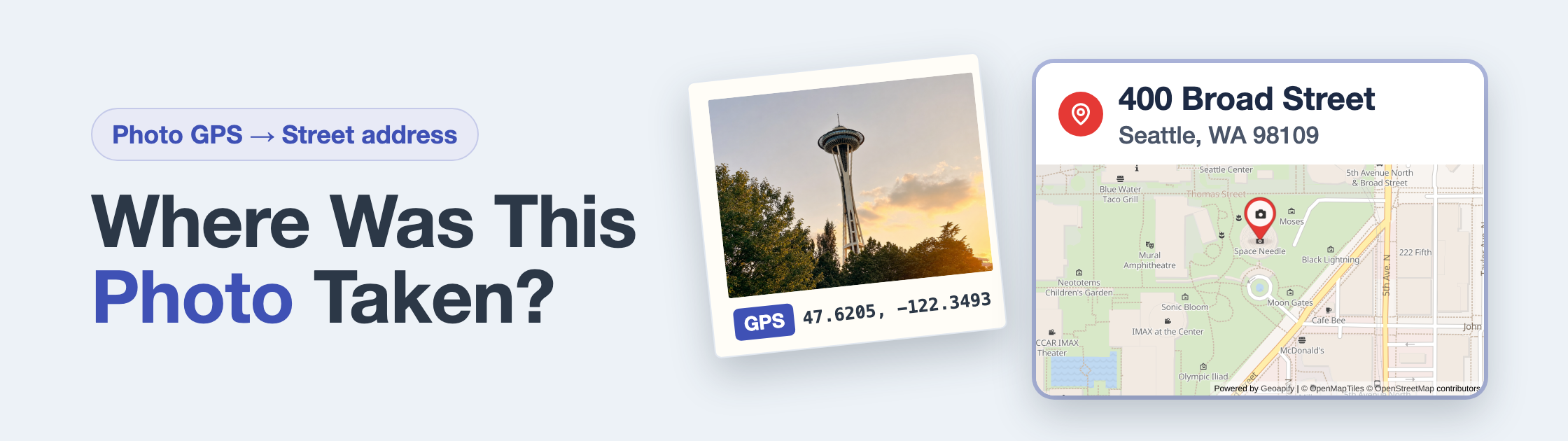
47.6205, -122.3493 gives 400 Broad Street, Seattle, WA 98109: the Space Needle.Table of contents
- Does Your Photo Know Where It Was Taken?
- How to See a Photo's Location
- How to Turn the GPS Numbers into an Address
- What If the Numbers Look Like 47° 37′ 13.8″?
- Many Photos? Look Up the Whole List at Once
- Keep Your Own Location Private When You Share
- Frequently Asked Questions
Does Your Photo Know Where It Was Taken?
Not always. A photo has a location only if location was turned on for the camera. Apple explains that the camera finds the spot with GPS, Wi-Fi, mobile networks and Bluetooth. Then it saves the coordinates inside the photo.
There are three cases:
| What you see | Where it comes from | Can you trust it? |
|---|---|---|
| A location saved by the camera | The phone measured it when you took the photo | Yes, as a rule. It can be a few steps off. |
| An estimated location | Google Photos guessed it, for example from a landmark in the photo or your other photos | It is a guess. You can edit or remove it. |
| No location | Location was off, or the photo was shared without it | There is nothing to look up. |
Sources: Apple: Manage location metadata in Photos and Google Photos Help: Understand, find and edit your photos' locations.
How to See a Photo's Location
Where you look depends on your device. Phones usually show a map and a place name. Computers often show the numbers.
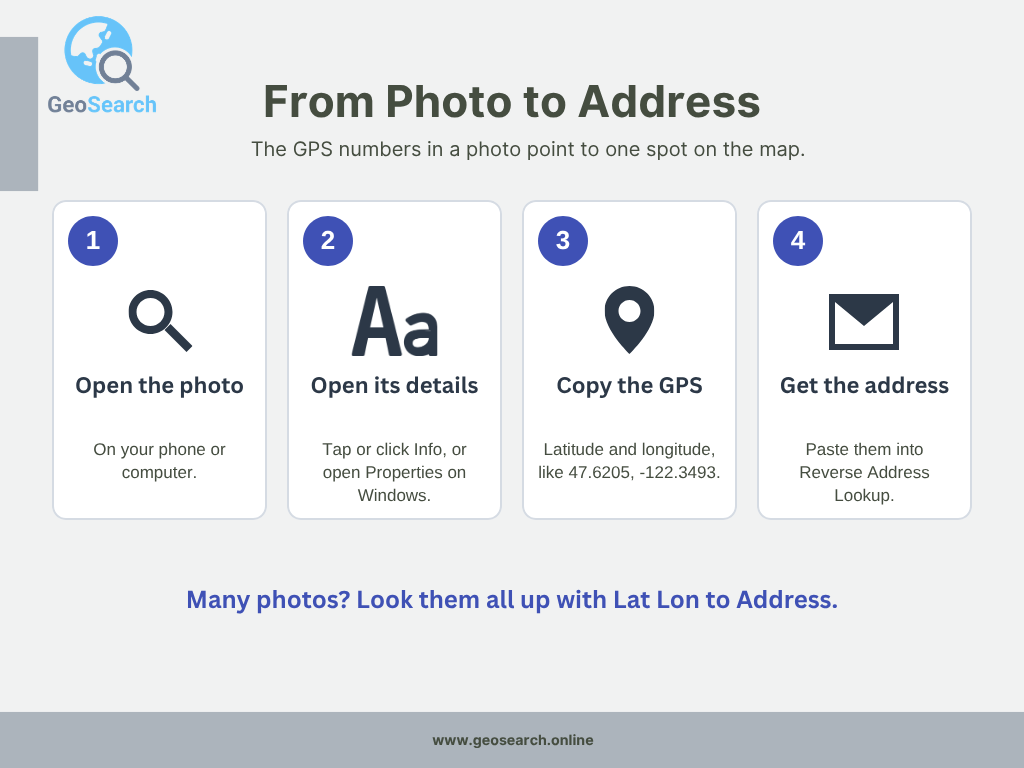
Find the GPS numbers in the photo's details, then look them up to get the address.
On an iPhone or iPad
- Open the photo in the Photos app.
- Swipe up on the photo, or tap the Info button.
- You see a map and the place. Tap the map to see more.
On a Mac
- In the Photos app: select the photo and click the Info button.
- In Preview: open the photo and choose Tools > Show Location Info. If this menu item is gray, the photo has no location.
In Google Photos on a computer
- Open the photo at photos.google.com.
- Click Info. The location is listed there.
- Keep in mind that it may be an estimated location, not one saved by the camera.
On a Windows PC
- Right-click the photo file and choose Properties.
- Open the Details tab and scroll down to GPS.
- You see the Latitude and Longitude, often as degrees, minutes and seconds.
The names of these menus can differ a little between Windows versions.
Sources: Apple: See photo and video information on iPhone, Apple: See where a photo was taken using Preview on Mac, Google Photos Help and Microsoft: Search photos.
How to Turn the GPS Numbers into an Address
A map pin shows the spot, but often you need the address: for a photo album, a school project or a family story. Getting the address from the numbers is called reverse geocoding.
- Open Reverse Address Lookup.
- Type or paste the numbers, latitude first, with a comma:
47.6205, -122.3493. - Click Search.
- You see the address, ZIP code, city, time zone and the spot on a map.
- Click Copy Address to use it somewhere else.
For 47.6205, -122.3493, the result is 400 Broad Street, Seattle, WA 98109. That is the Space Needle.
You get the nearest address that the map data knows. GPS can be a little off, so the result can be the building next door or a street corner. Always check the spot on the map.
What If the Numbers Look Like 47° 37′ 13.8″?
Some devices show the numbers as degrees (°), minutes (′) and seconds (″). Reverse Address Lookup needs plain decimal numbers, like 47.6205. You can change them yourself.
A degree has 60 minutes, and a minute has 60 seconds. So:
degrees + minutes ÷ 60 + seconds ÷ 3,600
Then add a minus sign if the letter is S (south) or W (west).
| Shown in the photo | Step by step | Number for the lookup |
|---|---|---|
| 47° 37′ 13.8″ N | 47 + 37 ÷ 60 + 13.8 ÷ 3,600 | 47.6205 |
| 122° 20′ 57.48″ W | 122 + 20 ÷ 60 + 57.48 ÷ 3,600, then a minus for W | -122.3493 |
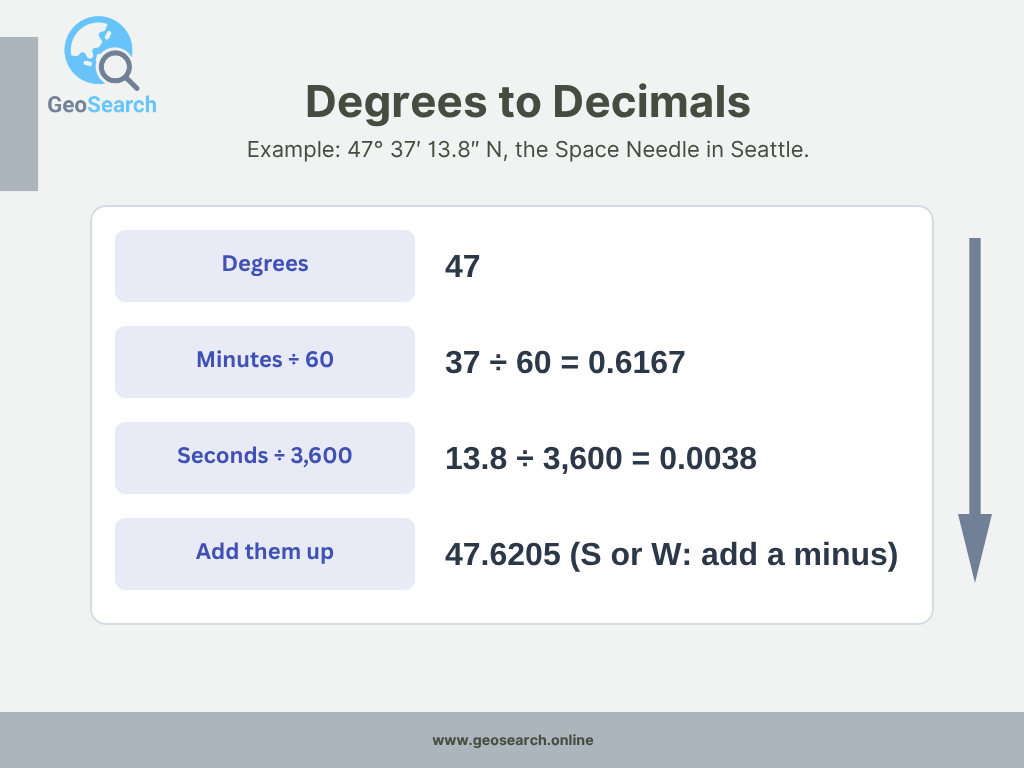
Degrees, plus minutes divided by 60, plus seconds divided by 3,600.
Can't see the letters N, S, E or W? Think about where the photo was taken. In the United States, the latitude is north (no minus) and the longitude is west (add a minus).
Many Photos? Look Up the Whole List at Once
Sorting a whole trip or a box of family photos? You don't have to look them up one by one.
- Make a spreadsheet with one row per photo. Add a latitude column and a longitude column, in decimal numbers.
- Upload it to Lat Lon to Address and choose the two columns.
- Download the CSV file with an address for every photo. Your own columns stay in it.
Up to 2,500 rows per run are free.
Keep Your Own Location Private When You Share
The location in a photo can show where you were, or where you live. Anyone who gets the file may be able to see it. Here is how to keep it to yourself.
- iPhone, when you share: tap the Share button, then Options, and turn off Location. You see "Location Not Included" above the Options button.
- iPhone, for all new photos: go to Settings > Privacy & Security > Location Services > Camera and choose Never.
- Google Photos: your locations are private by default, and estimated locations are never shared.
Sources: Apple: Manage location metadata in Photos and Google Photos Help: How Google Photos protects your location data.