Address Formatting: How to Write and Clean Up Addresses
A well-formatted address has the right parts in the right order. Address lists from forms and spreadsheets rarely look like that. This guide shows what a clean address looks like and how to fix a whole list.
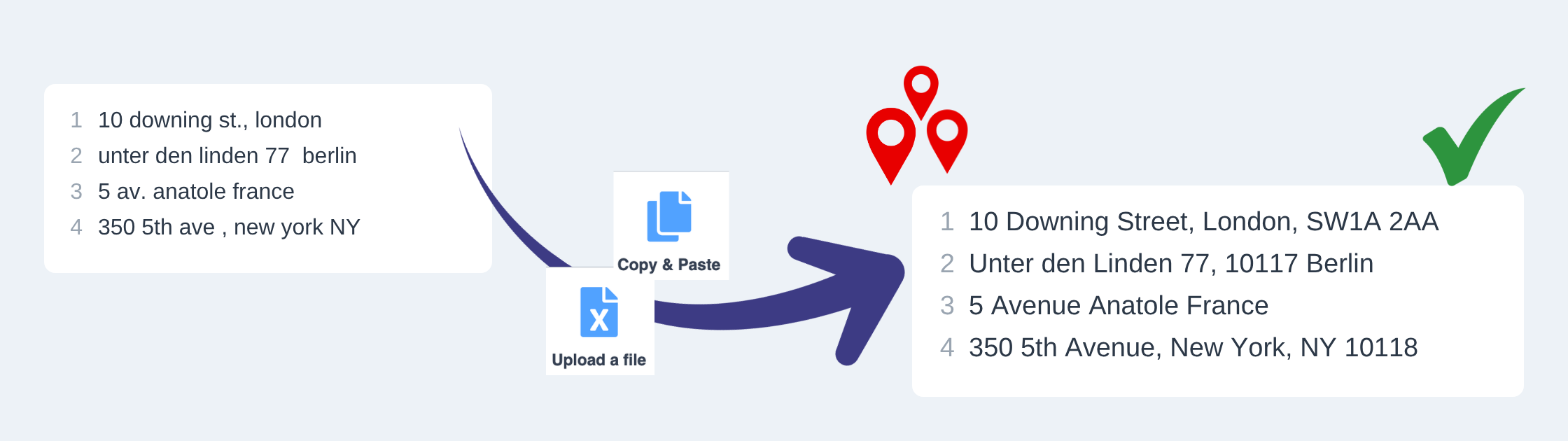
10 downing st., london becomes 10 Downing Street, London, SW1A 2AA, United Kingdom.Table of contents
- What a Clean Address Looks Like
- Address Formats Are Different in Every Country
- 6 Common Problems in Address Lists
- How to Fix a Messy Address List
- A Neat Address Is Not Always a Real Address
- Frequently Asked Questions
What a Clean Address Looks Like
An address is a short set of lines. Each line has one job. Read from top to bottom, it goes from the most exact detail to the widest one.
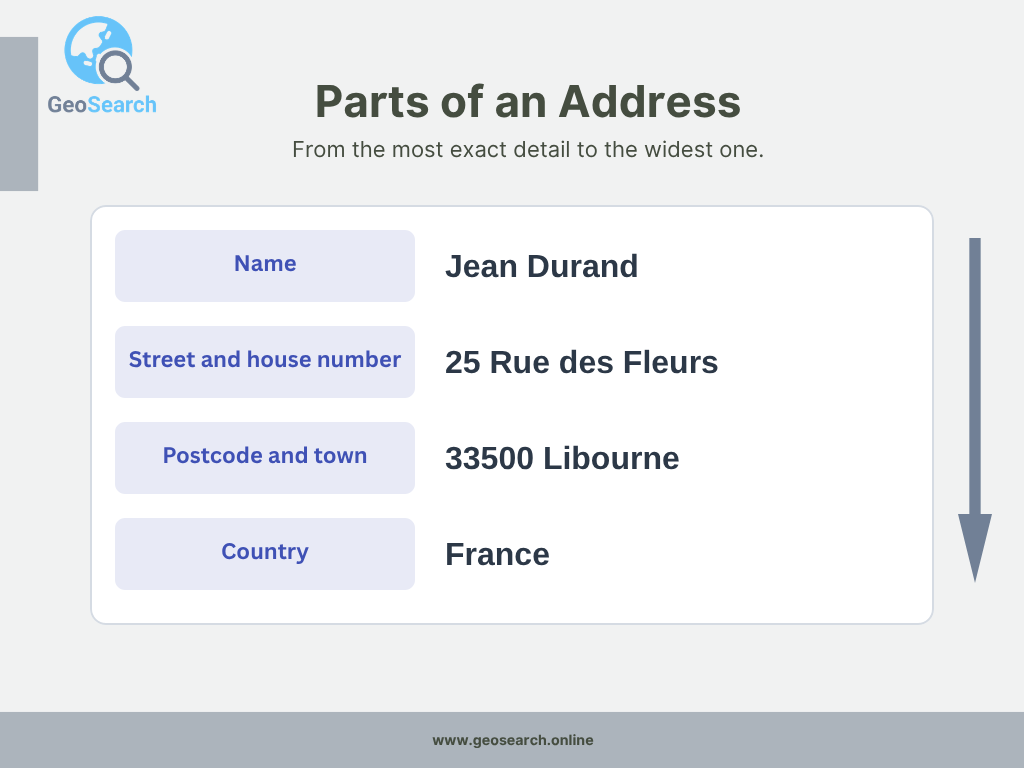
Each line of an address has one job, from the name down to the country.
| Line | What it is | Example |
|---|---|---|
| Name | The person or company. | Jean Durand |
| Street and house number | Where the building is. An apartment number can go here too. | 25 Rue des Fleurs |
| Postcode and town | The postcode is a short code the post office uses to sort mail. | 33500 Libourne |
| Country | Only needed when you send mail to another country. | France |
A clean address has all the parts it needs, no extra spaces, and the same spelling style for every address in your list.
Address Formats Are Different in Every Country
Every country uses the same parts, but not in the same order. The Universal Postal Union, the UN agency for post, keeps a format guide for each country. Here are four examples.
| Country | Example | Rules to remember |
|---|---|---|
| United States | 123 MAIN ST APT 4SPRINGFIELD IL 62701 | House number before the street. City, state and ZIP code on the last line. Short street types are standard, such as ST for Street and AVE for Avenue. Capital letters are preferred. |
| United Kingdom | 49 Featherstone StreetLONDONEC1Y 8SY | House number before the street. The postcode goes on its own line after the town, in capitals, with one space in the middle. |
| Germany | Wacholderweg 52a26133 OLDENBURG | House number after the street. Postcode before the town. Do not write D- or DE- before the postcode. |
| France | 25 RUE DES FLEURS33500 LIBOURNE | House number before the street. Postcode before the town. No commas or full stops from the street line down. |
Sources: USPS Publication 28 and its street suffix list, and the UPU guides for the United Kingdom, Germany and France.
When you send mail to another country, add the country name as the last line, in capitals: UNITED KINGDOM, GERMANY, FRANCE.
6 Common Problems in Address Lists
Address lists collect mistakes over time. Different people type the same thing in different ways. These are the problems you will see most often.
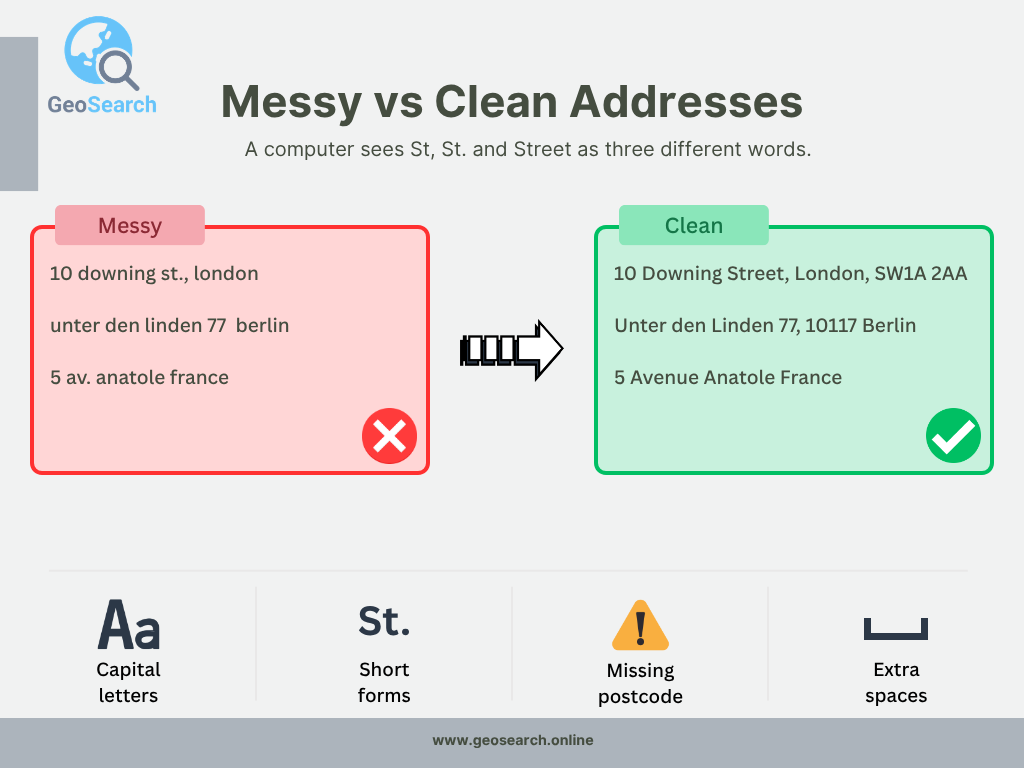
The same addresses before and after formatting.
| Problem | Messy | Clean |
|---|---|---|
| Mixed capital letters | 1600 PENNSYLVANIA AVENUE NW WASHINGTON | 1600 Pennsylvania Avenue Northwest, Washington, DC 20500 |
| Mixed short forms | 5 av. anatole france | 5 Avenue Anatole France |
| Missing postcode | 10 downing st., london | 10 Downing Street, London, SW1A 2AA |
| Postcode written wrong | w1j 9bd | W1J 9BD |
| Extra spaces | unter den linden 77 berlin | Unter den Linden 77, 10117 Berlin |
| Stray commas | 350 5th ave , new york NY | 350 5th Avenue, New York, NY 10118 |
The clean versions are real results from the Address Standardization tool, shortened to the street, town and postcode.
Why does this matter? A computer sees St, St. and Street as three different words. So the same customer can appear twice in your list. Labels can print with half the address missing. And an import into a shop or mailing system can reject rows it cannot read.
How to Fix a Messy Address List
You do not need to fix every row by hand. The Address Standardization tool cleans the whole list in one go.
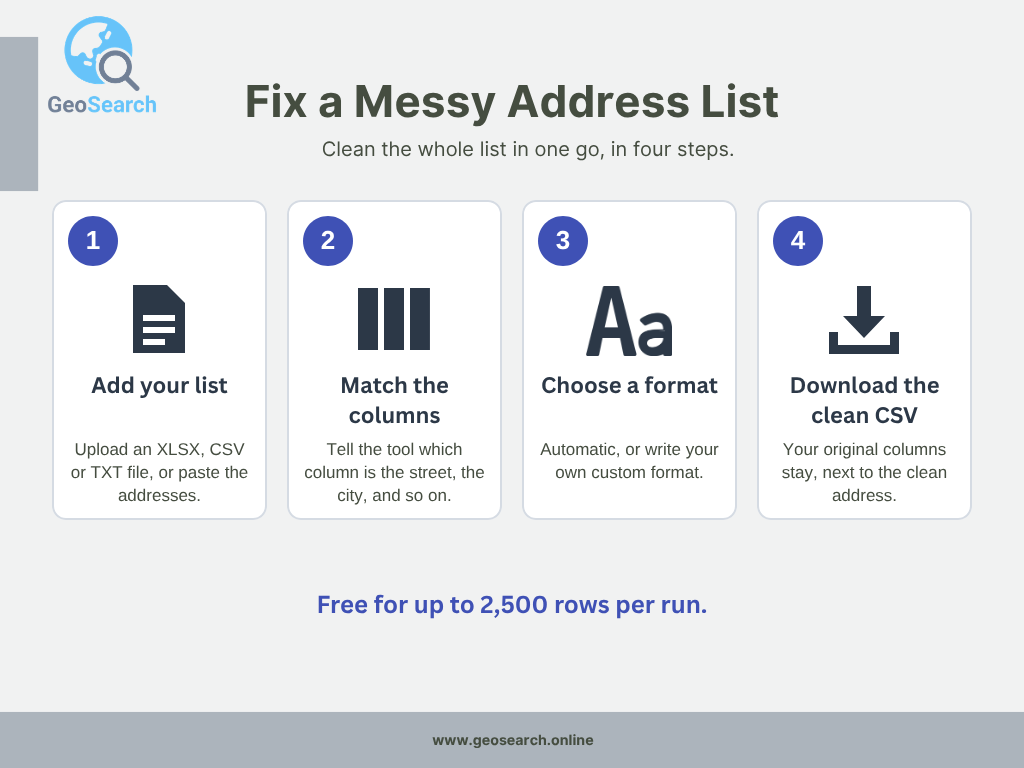
Four steps take you from a messy list to a clean CSV file.
- Add your list. Upload an XLSX, CSV or TXT file, or paste the addresses.
- Match the columns. Tell the tool which column is the street, the house number, the city, and so on. If the whole address is in one cell, choose "address".
- Choose a format. Leave the format field empty, or write your own format (see below).
- Download the result. You get a CSV file. Your original columns stay in it, next to the clean address.
Automatic format: each address in its own country's style
With the format field empty, every address follows the rules of its country. In one test list, the tool wrote 350 5th Avenue for New York, but Unter den Linden 77, 10117 Berlin for Berlin. It also filled in missing postcodes, like 10117 for Berlin.
When an address belongs to a known building, the automatic format can also start with its name, for example Empire State Building, 350 5th Avenue, .... If you don't want names in the result, use a custom format.
Use the automatic format when your list has addresses from several countries.
Custom format: one layout for every row
Sometimes another program needs one fixed layout, for example a mail merge for labels. Then write your own format with placeholders. A placeholder is a word in % signs that the tool replaces with a part of the address.
%street% %housenumber%, %postcode% %city%, %country_code%
With this format, the same test list came out like this:
| Before | After |
|---|---|
unter den linden 77 berlin | Unter den Linden 77, 10117 Berlin, de |
5 av. anatole france 75007 paris | Avenue Anatole France 5, 75007 Paris, fr |
350 5th ave , new york NY | 5th Avenue 350, 10118 New York, us |
The layout fits Germany, but not the US or France. In those countries the house number comes first. So use a custom format when all your addresses are in one country, and build it in that country's order.
What it costs
You can clean up to 2,500 rows per run for free. For a bigger list, you pay once: €1 per 1,000 rows, with a €20 minimum. There is no subscription. Paid results are ready to download for 7 days. Check the pricing page for details.
If a row cannot be cleaned, it stays in your file. Its result fields are empty or partly filled, with a note about what to check.
A Neat Address Is Not Always a Real Address
Formatting fixes how an address looks. It cannot always tell whether the address is right.
In our test, the row main st, 1, disneyland, usa came back as a neat address: 1 Main Street, Burlington, VT 05401. It looks fine, but it is not the place the person meant. The tool gave it a confidence of only 0.2 out of 1. A low confidence score is a sign to check the row by hand.
So after formatting, check the rows that matter:
- To find missing or wrong parts in a list, use Address Validation.
- To check that addresses match real places, use Address Verification.
- To look at one address on a map, use Reverse Address Lookup.
If you need official postal approval, such as USPS-certified addresses for US bulk mail, use the postal service or a certified provider.
Frequently Asked Questions
What is the correct format for an address?
Should I write the postcode before or after the town?
10117 Berlin. In the UK, the postcode goes on its own line after the town. In the US, the ZIP code comes after the city and state.