
What Is Geocoding and How It Turns Addresses into Coordinates
What is geocoding? If you’ve ever entered an address into Google Maps or a delivery app and instantly seen a pin drop on the correct spot — you’ve already used geocoding, whether you knew it or not. You can try it yourself using our free Address to Coordinates Tool — it accepts a single address, a list of addresses, or even CSV and Excel files, and instantly returns accurate latitude and longitude coordinates.
Table of contents
- What Does "Geocode" Mean?
- Geocoding Examples
- How Geocoding Works
- Try Geocoding Online
- Frequently Asked Questions
What Does "Geocode" Mean?
The word “geocode” refers to the process of converting a written address into geographic coordinates — usually a pair of numbers:
- Latitude — how far north or south a location is from the equator
- Longitude — how far east or west a location is from the prime meridian
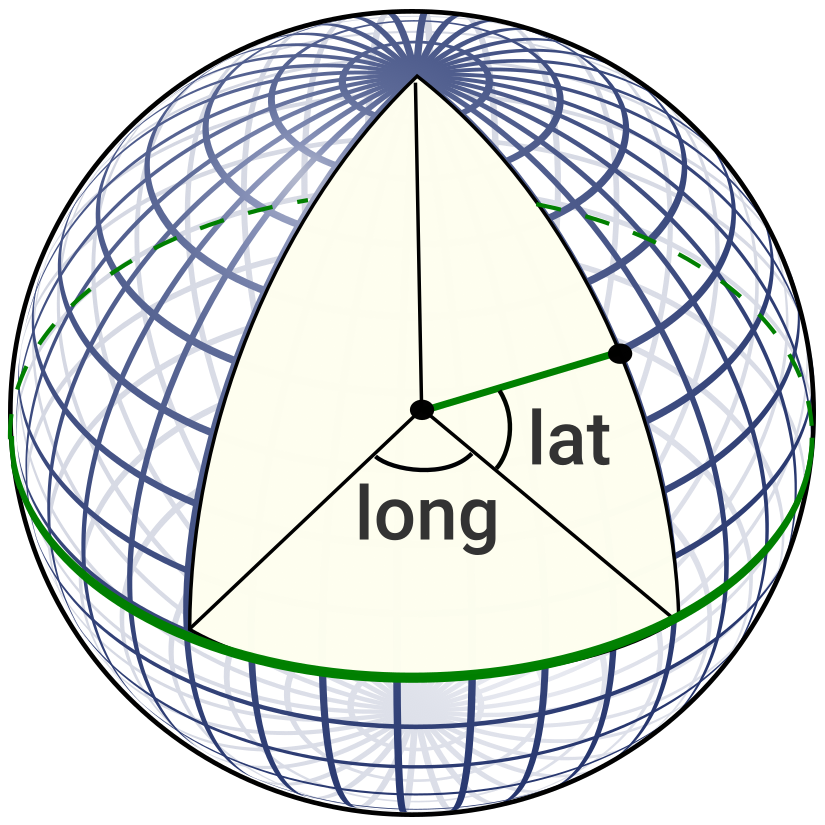
This figure illustrates the definition of latitude and longitude on a sphere, with a 10-degree graticule representing the geographic coordinate grid
In simple terms, to geocode an address means to translate a street address into an exact point on the Earth’s surface — a point that computers, maps, and GPS systems can recognize, store, and work with.
Geocoding Examples
To better understand what it means to geocode an address, let’s look at a few real-world examples. These show how familiar places are translated into latitude and longitude — coordinates that digital maps and location-based tools can work with.
| Address or Place | Latitude | Longitude |
|---|---|---|
| Empire State Building, New York, USA | 40.7484 | -73.9857 |
| 10 Downing Street, London, UK | 51.5034 | -0.1276 |
| Eiffel Tower, Paris, France | 48.8584 | 2.2945 |
| Brandenburg Gate, Berlin, Germany | 52.5163 | 13.3777 |
| Sydney Opera House, Sydney, Australia | -33.8568 | 151.2153 |
| ZIP Code 10001, New York, USA | 40.7506 | -73.9970 |
| City: Tokyo, Japan | 35.6828 | 139.7595 |
| Country: Canada | 56.1304 | -106.3468 |
What Can Be Geocoded?
Geocoding doesn’t require a full street address. Many types of location-related input can be geocoded:
-
Full street addresses e.g. "1600 Amphitheatre Parkway, Mountain View, CA" → returns precise coordinates of a building or entrance
-
Postcodes / ZIP codes e.g. "10001, New York, NY" → returns a point near the center of the postal area
-
City names e.g. "Tokyo, Japan" → returns a central point of the city or its administrative center
-
Countries or regions e.g. "Canada" → returns the geographic center, centroid, or a representative capital location
⚠️ For larger areas like cities, postcodes, or countries, geocoding typically returns a center point — which may not reflect population density or true “activity hubs.” It’s ideal for regional grouping or zooming, but not for street-level accuracy.
So depending on your use case, it’s important to consider the granularity and intended use of your geocoded data.
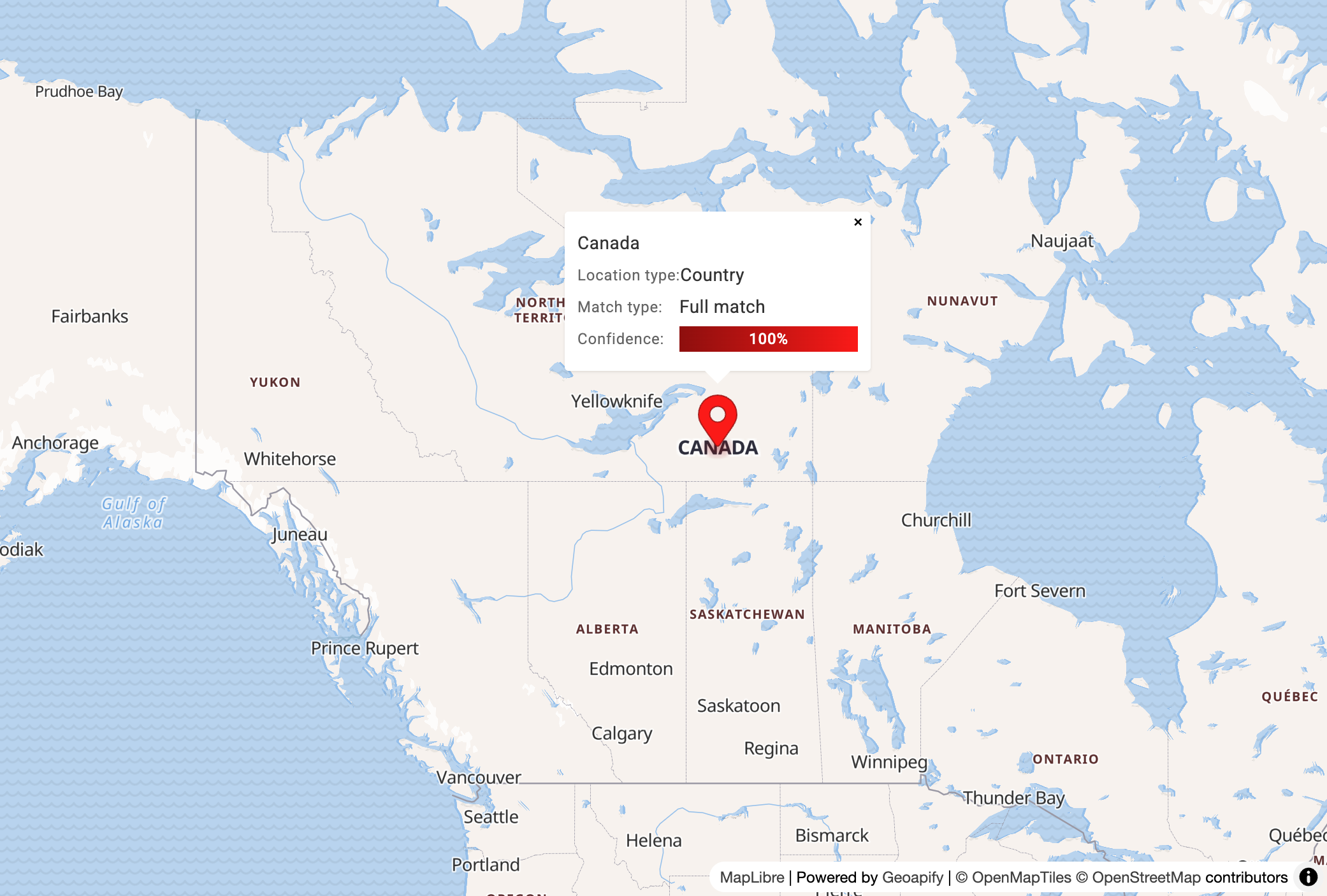
Geocoding a country like "Canada" returns a central or representative point — not a specific address — useful for regional analysis or map centering.
How Geocoding Works
When you geocode an address, the result may look simple — just a pair of coordinates — but under the hood, the process includes multiple steps designed to ensure accuracy, completeness, and usability of the result.
Here’s how modern geocoding systems typically work:
1. Parsing the Input
The raw input string is first parsed into components like:
- Street name and number
- City or locality
- Region or state
- Postal code
- Country
Parsing is especially important when the address is free-form or inconsistent — for example:
"221B Baker St London UK" → ["street": "Baker St", "number": "221B", "city": "London", "country": "UK"]
2. Standardizing the Address
Next, the parsed components are normalized to a standard form:
"St."→"Street""Ave"→"Avenue""Deutschland"→"Germany"
This ensures consistent matching, especially across international or multilingual inputs.
3. Matching Against a Geographic Database
The standardized components are then used to search large address datasets, such as:
- OpenStreetMap (OSM)
- OpenAddresses
- National postal/address databases
- Commercial data providers
The system finds the best match for the given combination — whether it’s a complete address, a postcode, or just a city.
4. Enriching the Result
Once a match is found, additional information may be added to the output:
-
Missing fields filled in: For example, if only a street and city were given, the system might infer and return the correct postcode or state.
-
Administrative details: Such as country code, ISO codes, FIPS, census data
Example: Enriched Geocoding Result
Let’s say you geocoded a commercial address near Walnut Creek, California. The system doesn't just return coordinates — it provides a rich, structured result with additional context:
-
Place name: Mattress Firm — the name of the business found at that location.
-
Full formatted address: 1245 South Main Street, Walnut Creek, CA 94596, United States of America
-
Latitude / Longitude:
37.8956225, -122.0601— exact point of the building on the map. -
Street-level details:
- Street: South Main Street
- House number: 1245
-
City, county, and state:
- City: Walnut Creek
- County: Contra Costa County
- State: California
- State code: CA
- ISO code: US-CA
-
Country: United States (
us) -
Postal code (ZIP): 94596
-
Result type: amenity — meaning this is a physical place, such as a shop or service.
-
Category: commercial.furniture_and_interior.bed — detailed classification of the business.
-
Timezone info: America/Los_Angeles (PST/PDT), including UTC offsets.
-
Open Location Code (Plus Code): WQ+6X Walnut Creek, Contra Costa County — useful when no postal address is available.
-
Bounding box: A small area defining the physical footprint of the location on the map.
-
Attribution and source: Data is from OpenStreetMap under the Open Database License.
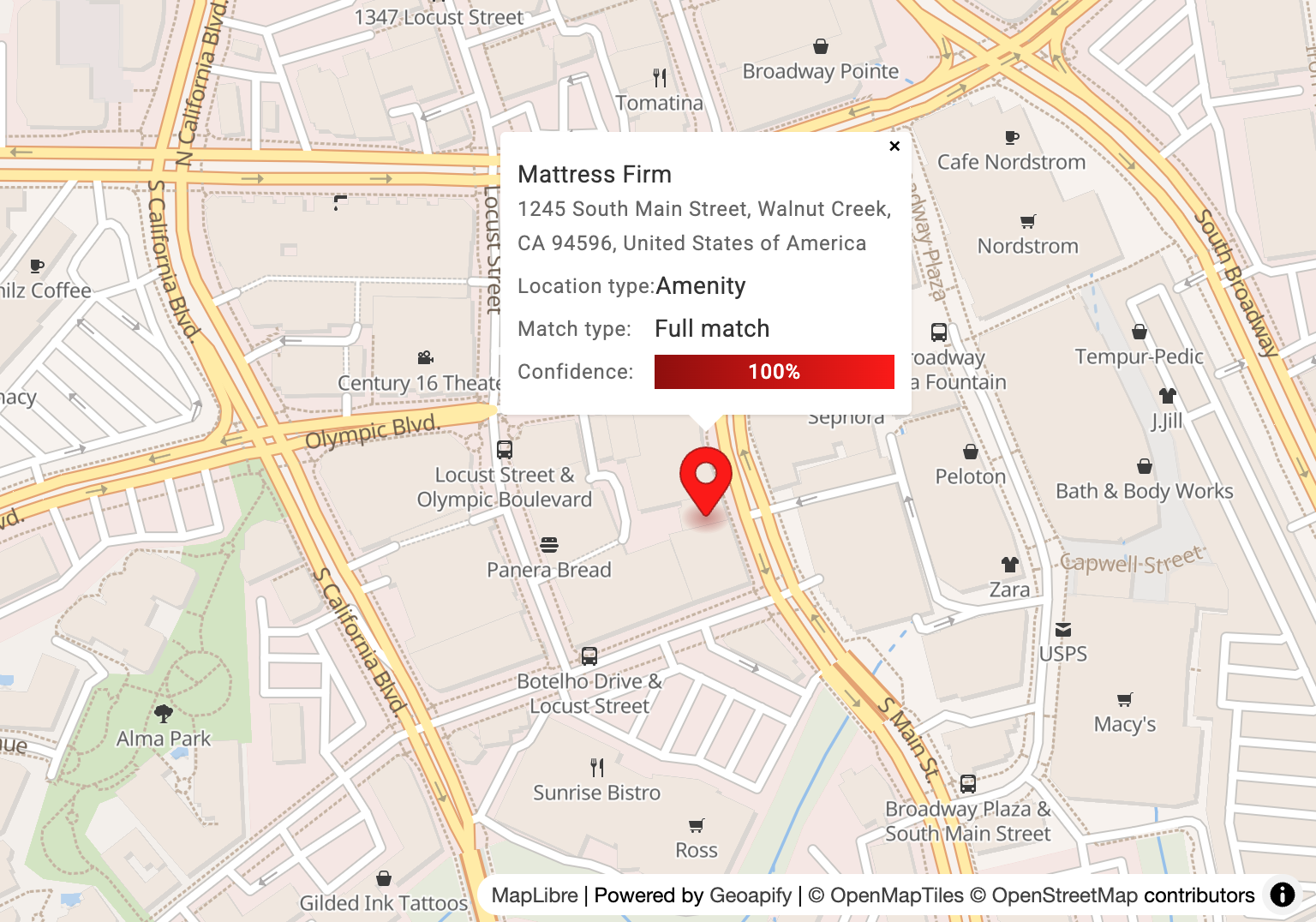
Geocoding a full address returns a precise location on the map — shown here as a marker placed at the corresponding latitude and longitude.
In this example, the geocoder not only resolved the coordinates but also enriched the result with administrative context, business metadata, and time zone — all of which are helpful for mapping, search, routing, or analysis.
5. Scoring and Confidence (optional)
Some geocoding systems go a step further by assigning a confidence score to each result. This score reflects how well the input matched a known location — and helps determine how reliable or accurate the result is.
Confidence may be expressed as:
- A numerical score (e.g., from
0to1) - A qualitative level (e.g.,
"exact","interpolated","approximate")
Why It Matters
Not all addresses are perfect — user input may be incomplete, misspelled, or ambiguous. A confidence score helps you:
- Detect low-quality matches
- Decide whether to accept, review, or reject a result
- Filter results programmatically (e.g., only accept matches with score > 0.8)
Examples
| Input | Match Type | Confidence |
|---|---|---|
"1245 South Main Street, CA" | Exact address | 1.0 |
"3600 South Main Street, Walnut Creek" | Building is not found | 0.5 |
"125 Manins Street, Wynnum" | Street and building are not found | 0.25 |
Geocoders may also provide match type (e.g.,
"building","street","city") alongside the score — giving additional insight into what level of detail the result represents.
If you want to inspect this kind of enriched location data for a single address or coordinate pair, use the Reverse Address Lookup tool. It shows structured address fields, coordinates, timezone, match quality, and map preview actions in one place.
Try Geocoding Online
Looking to convert addresses into coordinates — without writing any code? The free Address to Coordinates tool makes it easy to geocode online:
- A list of addresses
- Or an entire CSV or Excel file
All directly in your browser — with instant results and precise latitude/longitude output.
Key features:
- No sign-up required
- Upload
.csv,.xlsx, or.txtfiles - Supports addresses, postcodes, cities, and countries
- Automatically standardizes and cleans input
- Get results in seconds — ready for maps, analysis, or export
- Geocode up to 2500 addresses for free
- Need more? Larger datasets can be processed for a small fee
Whether you’re validating locations, preparing data for a map, or enriching spreadsheets — GeoSearch makes batch geocoding fast and accessible.