
How to Validate an Address Online for Free
Before you ship a package, send an invoice, import customer data, or geocode a list of locations, it is worth checking whether each address is usable. This guide explains how address validation works and how to validate addresses online for free.
Table of contents
- What Is Address Validation?
- How to Validate an Address Online for Free
- What Address Validation Can and Cannot Confirm
- Address Validation vs Address Verification
- Frequently Asked Questions
What Is Address Validation?
Address validation does more than check whether an address “looks right.” A validator reads the address, separates it into parts, and checks whether those parts can work together: street name, house number, city, postal or ZIP code, state or region, and country.
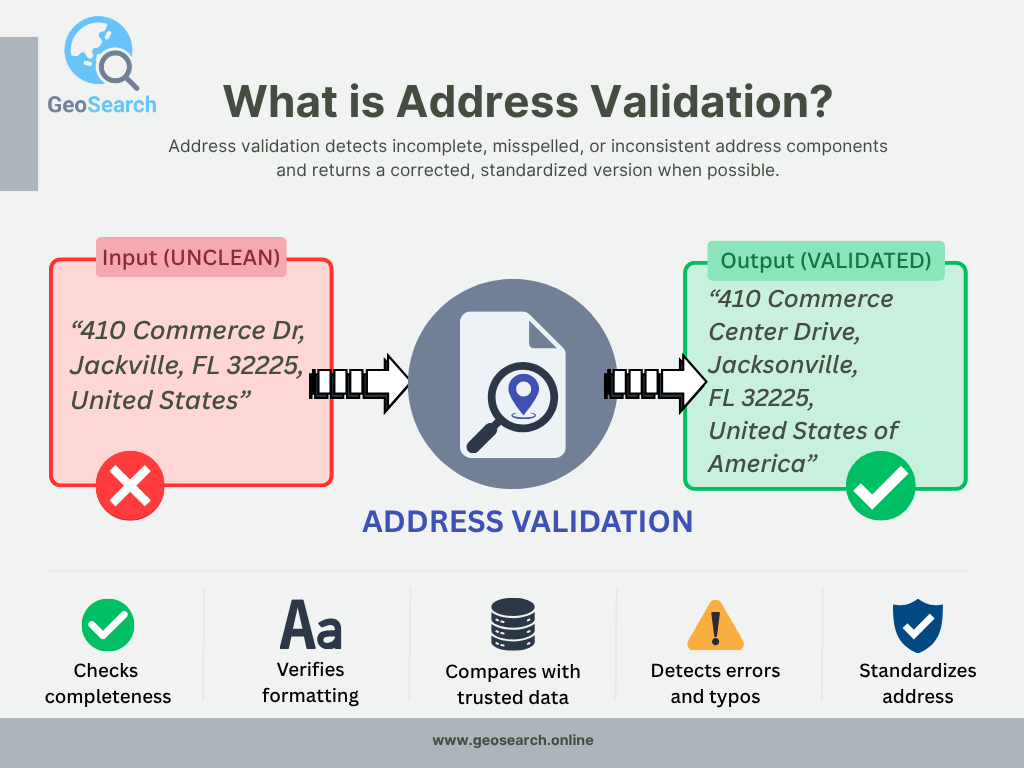
Address validation can standardize address formatting and detect missing or inconsistent address details.
For example, an address validator may turn this entered address:
- "410 Commerce Dr, Jackville, FL 32225, United States"
into a standardized address:
- "410 Commerce Center Drive, Jacksonville, FL 32225, United States of America"
This catches both the abbreviated street name and the misspelled city before the address is used for shipping, billing, or geocoding.
In real workflows, this helps catch common data problems before they become operational problems:
- Online stores can check a shipping address before a label is created, reducing failed deliveries and manual corrections.
- Accounting teams can clean billing addresses before sending invoices or tax documents.
- Sales and CRM teams can standardize imported customer addresses so duplicates are easier to detect.
- Logistics and GIS teams can validate address lists before geocoding them, so unclear rows do not create misleading coordinates.
The result is usually a standardized address, structured address fields, coordinates when available, and a match quality signal. If some parts cannot be verified, the result should make that visible instead of silently accepting a questionable address.
How to Validate an Address Online for Free
You can validate addresses online in two ways, depending on whether you need to check one address or process a full list.
Option 1: Validate One Address
If you need to check addresses one by one, use a single-address lookup tool. For example, our Reverse Address Lookup tool lets you search by street address or by latitude and longitude coordinates.
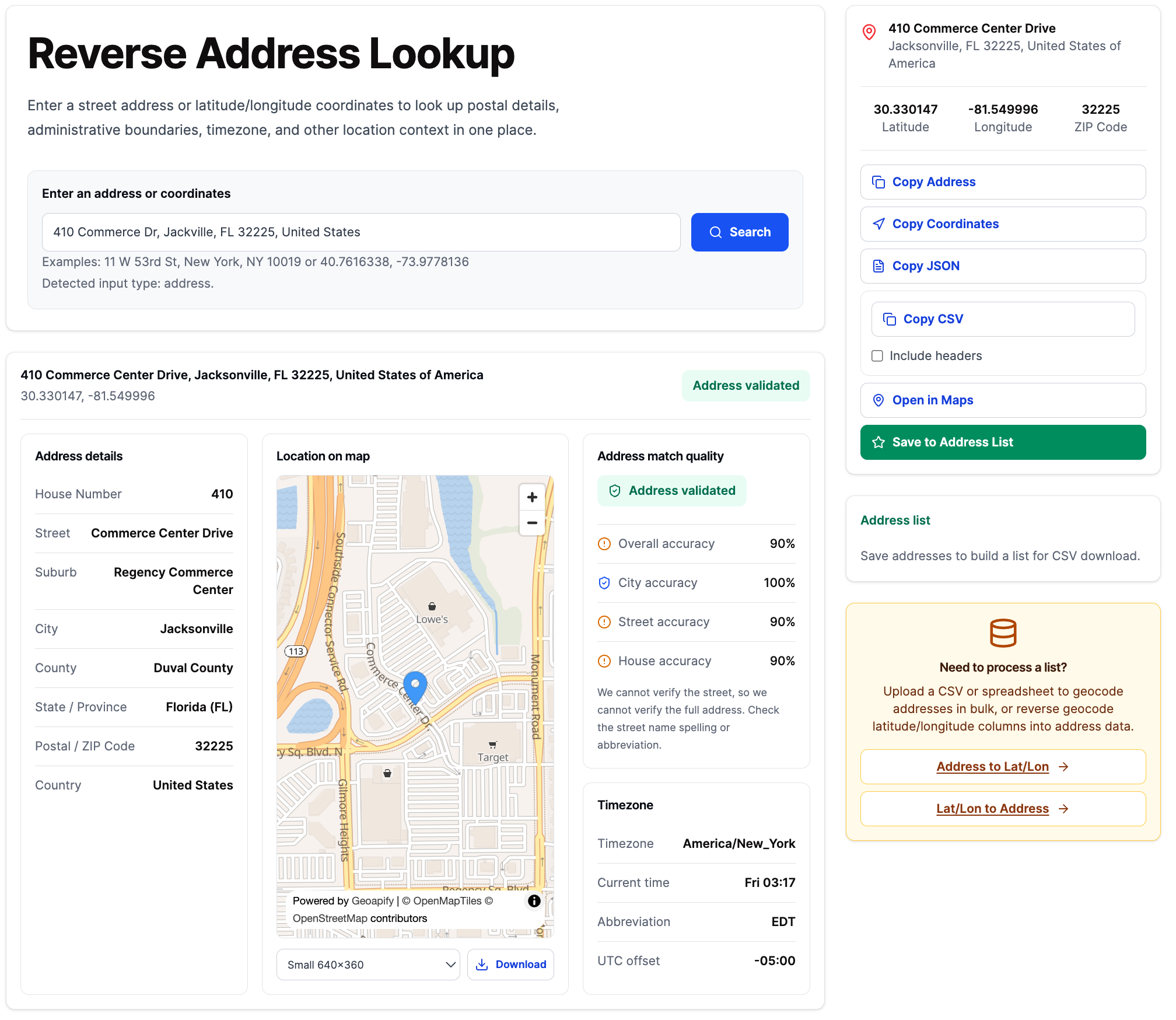
Reverse Address Lookup lets you validate one address or coordinate pair and review the structured result.
With a single lookup, you can review the address in detail before using it in a form, order, shipment, invoice, or database record. The result can include:
- the formatted and standardized address
- address components such as street, house number, city, state, ZIP or postal code, and country
- latitude and longitude
- match quality or validation notes
- timezone and other structured location details when available
How to Read Address Validation Results
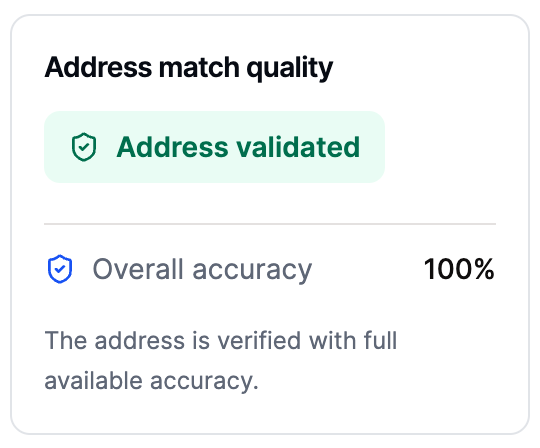
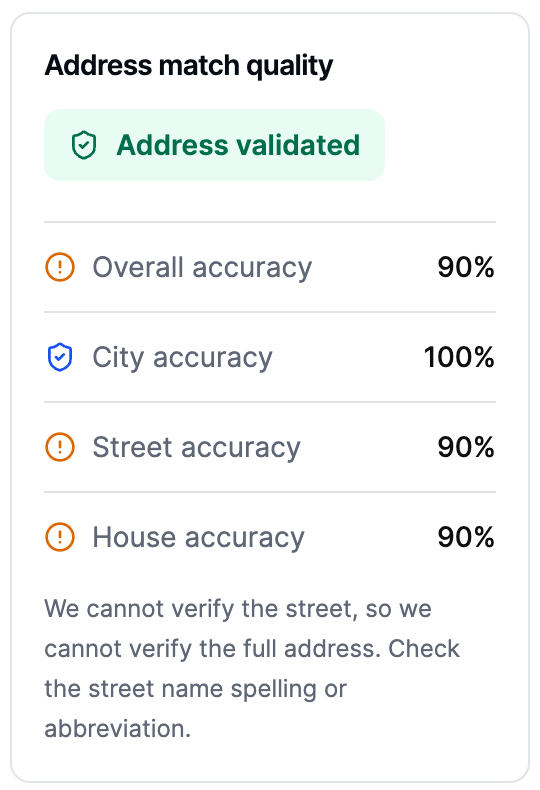
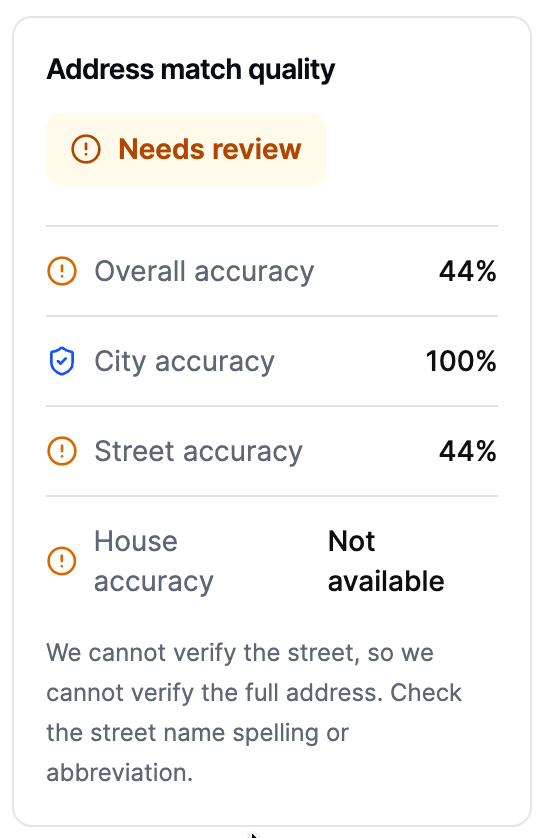
The result also includes Address Match Quality, which helps you understand how confidently the entered address matched known address data. It can show whether the city, street, and house number were matched exactly, partially matched, or need review.
This is especially useful when an address looks valid but has a typo, missing house number, abbreviated street name, or inconsistent postal code. Instead of only returning a corrected address, match quality helps you decide whether the result is ready to use or should be checked manually.
These are examples of how Address Match Quality can look for a full match, a partial match, and a result that needs review:
You can also copy the result in JSON or CSV format, create a map preview, save selected addresses to a temporary address list, and download that list as a CSV file.
| Pros | Cons |
|---|---|
|
|
Option 2: Validate Many Addresses
Use this option when you have a CSV file, Excel spreadsheet, CRM export, shipping list, customer database, or any table with many addresses. The Address Validation tool lets you upload the file, map your columns to address components, validate the rows, and download the enriched result as CSV. You can process up to 2500 addresses for free in one run, and you can run the tool multiple times. If you need to process the full file at once, paid processing is available at 1€ per 1000 addresses, with a 20€ minimum.
The workflow looks like this.
Step 1: Upload Your Address File
Upload your CSV file. The tool shows a preview so you can confirm that the address columns were read correctly before processing starts.
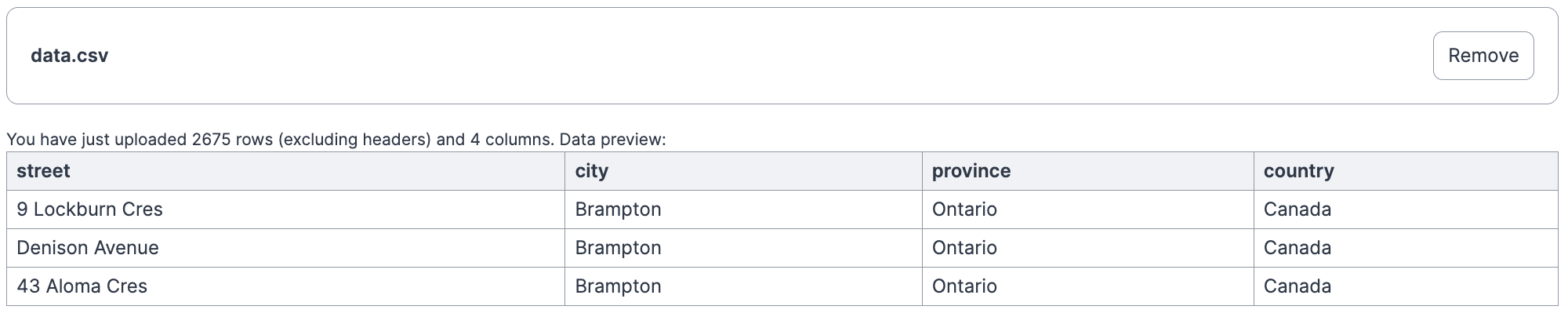
Uploaded CSV preview with street, city, province, and country columns.
Step 2: Map Columns and Choose Options
Map the spreadsheet columns to address components. You can also choose validation options, such as the search country and result language, before running the job.
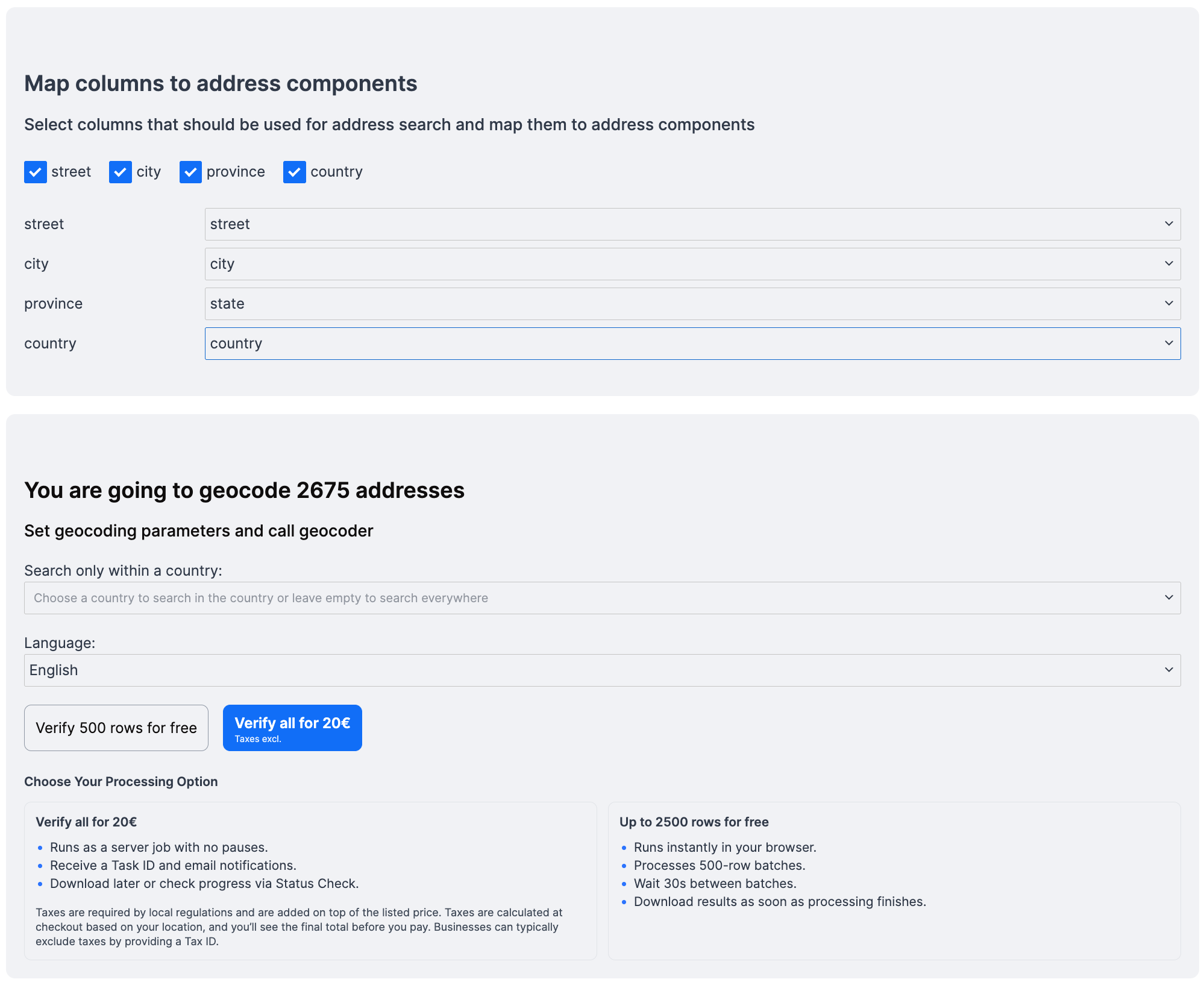
Column mapping and validation options before processing the address list.
Step 3: Run Validation
During validation, the tool processes rows and shows progress. Free processing can run in batches, while paid processing can handle the full list as a server job.
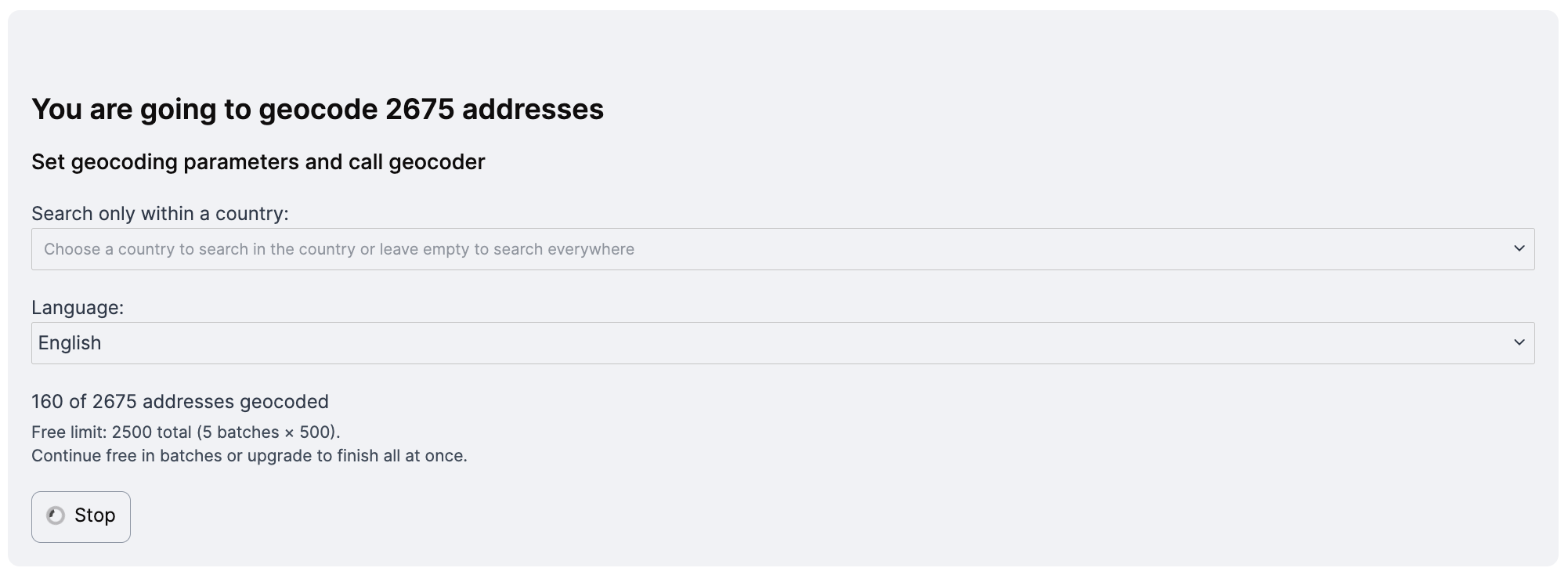
Validation in progress with row count and processing status.
Step 4: Download the Results
After processing, download the result as CSV. The file includes your original columns plus validation status, confidence scores, coordinates, and standardized address fields.
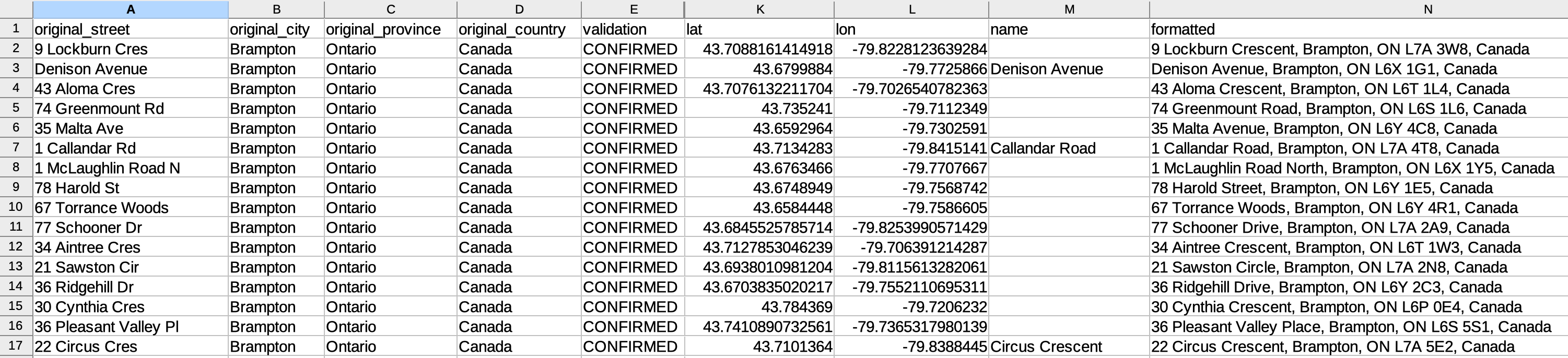
Downloaded CSV result with confirmed addresses, coordinates, and formatted address values.
How to Read Address Validation Results
The downloaded result is an enriched CSV file. It keeps your original input columns and adds structured validation data:
- Validation status:
validationandvalidation_details - Confidence scores:
confidence,confidence_city_level,confidence_street_level, andconfidence_building_level - Location data: latitude, longitude, and place name when available
- Standardized address fields: formatted address, house number, street, postcode, city, county, state or province, state code, country, and country code
- Attribution: data source, license, and attribution links when required
For example, a Brampton address list can produce results like this:
| Original street | Validation | Confidence | Building confidence | Found address |
|---|---|---|---|---|
9 Lockburn Cres | CONFIRMED | 1 | 1 | 9 Lockburn Crescent, Brampton, ON L7A 3W8, Canada |
Denison Avenue | CONFIRMED | 1 | empty | Denison Avenue, Brampton, ON L6X 1G1, Canada |
43 Aloma Cres | CONFIRMED | 1 | 1 | 43 Aloma Crescent, Brampton, ON L6T 1L4, Canada |
An empty building confidence value usually means the street or area was found, but a specific building-level match was not available. That row may still be useful, but it should be reviewed differently from a result with full building-level confidence.
| Pros | Cons |
|---|---|
|
|
What Address Validation Can and Cannot Confirm
Address validation is useful for improving address quality, but it should not be treated as a guarantee that every package, invoice, or field visit will succeed. The result tells you how well the entered address matches known address data and which parts of the address were found with confidence.
What it can confirm
- Whether the city, street, postal code, region, and country fit together.
- Whether a house number or building-level match was found.
- Whether the address can be standardized into a cleaner format.
- Whether coordinates and structured address fields can be returned.
- Whether the result has high, partial, or uncertain match confidence.
What it cannot guarantee
- That every carrier can deliver to the address.
- That every apartment, unit, suite, floor, or private entrance is valid.
- That a newly built or rarely used address already exists in every dataset.
- That the customer entered the intended location when several similar addresses exist.
- That local delivery rules, access restrictions, or business-specific requirements are satisfied.
- That the result is certified by an official postal authority such as USPS.
Use high-confidence results directly when the address fields match your workflow requirements. Review rows manually when confidence is low, building-level data is missing, or the standardized address differs from the original in a meaningful way. If your process requires a 100% official postal standard, such as USPS-certified validation for U.S. mailing, use the official postal service or an officially certified provider.
Address Validation vs Address Verification
Address validation and address verification are often used together, but they describe slightly different checks. Validation focuses on structure, formatting, and consistency. Verification focuses on whether the address can be matched to known real-world address data.
| Address Validation | Address Verification | |
|---|---|---|
| Main purpose | Checks whether an address is complete, correctly formatted, and internally consistent. | Checks whether the address can be matched to trusted real-world data. |
| Typical output | Standardized address, parsed fields, corrected formatting, and missing-field warnings. | Match status, confidence score, coordinates, and confirmation that address parts were found. |
| Example use case | Cleaning customer records before importing them into a CRM. | Checking whether a shipping address is likely to match an actual location. |
| Limitations | A well-formatted address can still be wrong or incomplete. | A verified match can still require manual review for apartments, units, new buildings, or official postal certification. |
In practice, online address tools often combine both: they standardize the address, compare it with known data, and return confidence or match quality. For files where the main goal is confirming real-world matches, use the bulk address verification page. For a deeper explanation, read Address Validation vs Address Verification: What's the Difference?.
Frequently Asked Questions
Can I validate an address online for free?
Can I validate a list of addresses?
What does CONFIRMED mean in address validation?
What does confidence_building_level mean?
confidence_building_level value shows whether the result matched a specific house number or building. A value of 1 indicates a strong building-level match. An empty value can mean the street or area was found, but no exact building match was available.