How to Geocode a List of Addresses: Excel, Sheets, CSV
Published
You have a list of addresses in a spreadsheet: shops, club members, delivery stops. You need the latitude and longitude of each one, to put them on a map or to measure distances. You don't need to install anything or write code. This guide takes you from your sheet to the coordinates and back, with screenshots of every step.
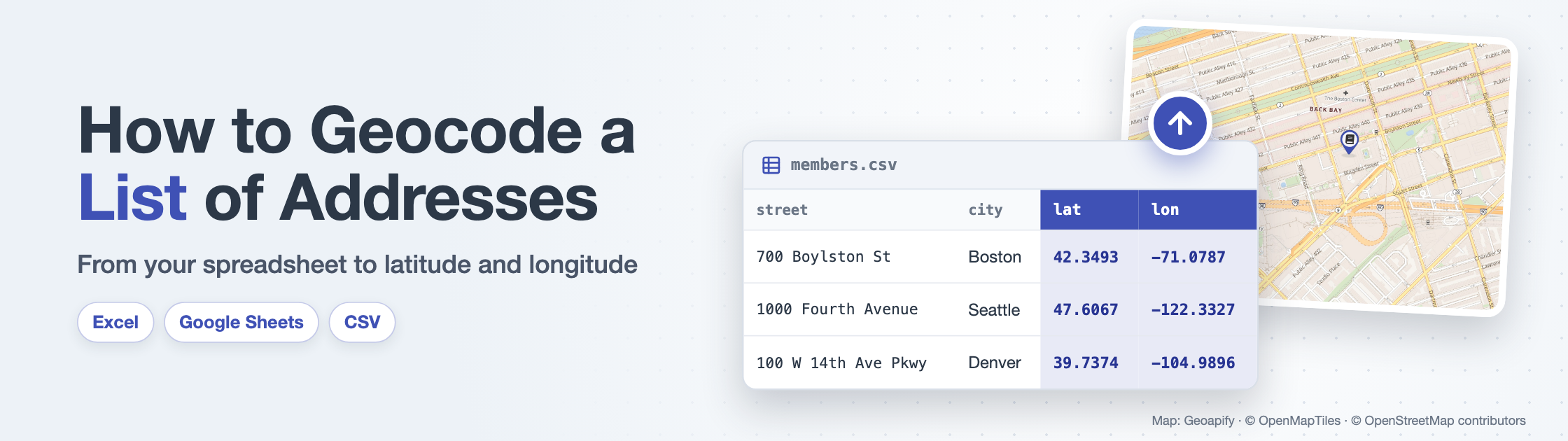
700 Boylston St, Boston, MA 02116 becomes 42.3493, -71.0787.Table of contents
- What You Need Before You Start
- Step 1. Get the File Out of Excel or Google Sheets
- Step 2. Upload the File and Match Your Columns
- Step 3. Run the Search
- Step 4. Read the Result: Which Rows Should You Check?
- Step 5. Bring the Coordinates Back into Your Sheet
- Common Problems and Quick Fixes
- What Next: Put the Points on a Map
- Frequently Asked Questions
What You Need Before You Start
You need a list with one address per row. The address can sit in one column, or in separate columns for each part. Both work.
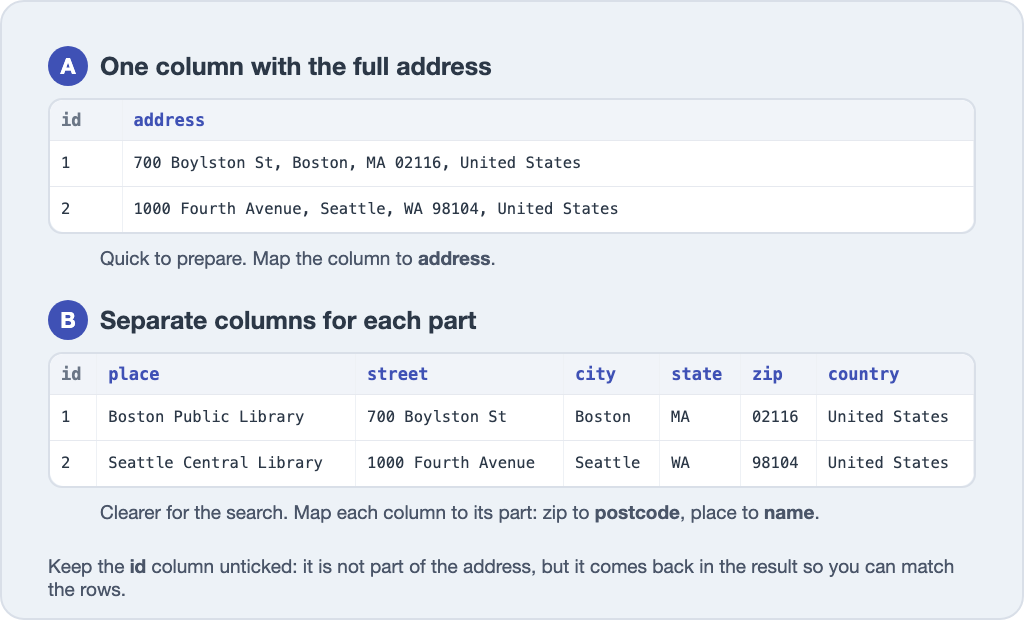
One column is quicker to prepare. Separate columns are clearer for the search.
Three more things help:
- A country. Add a country column, or choose one country for the whole list in Step 3. Without it, "Springfield" can be found in the wrong state or even the wrong country.
- An ID column. A customer number or row number. You don't use it for the search, but it comes back in the result, so you can match each row to your original list.
- A place name, if you have one. "Boston Public Library" next to "700 Boylston St" gives the search one more clue.
Step 1. Get the File Out of Excel or Google Sheets
- Excel: use the XLSX file as it is, or choose File > Save As and pick CSV.
- Google Sheets: choose File > Download and pick CSV or Microsoft Excel (XLSX).
- Any other list: a plain text file works too, or you can copy the rows and paste them in.
Step 2. Upload the File and Match Your Columns
Open Address to Lat Lon and choose Upload a file or Copy & Paste. The tool shows how many rows and columns it found, and a preview of the first rows.
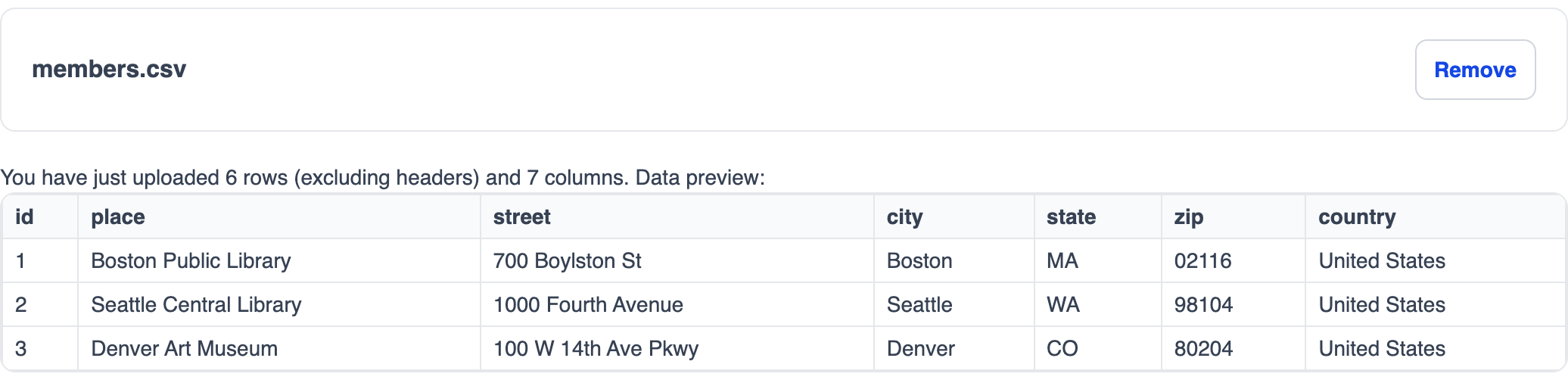
The preview of the uploaded file.
Next, tick the columns that belong to the address and tell the tool what each one is. Leave the ID column unticked.
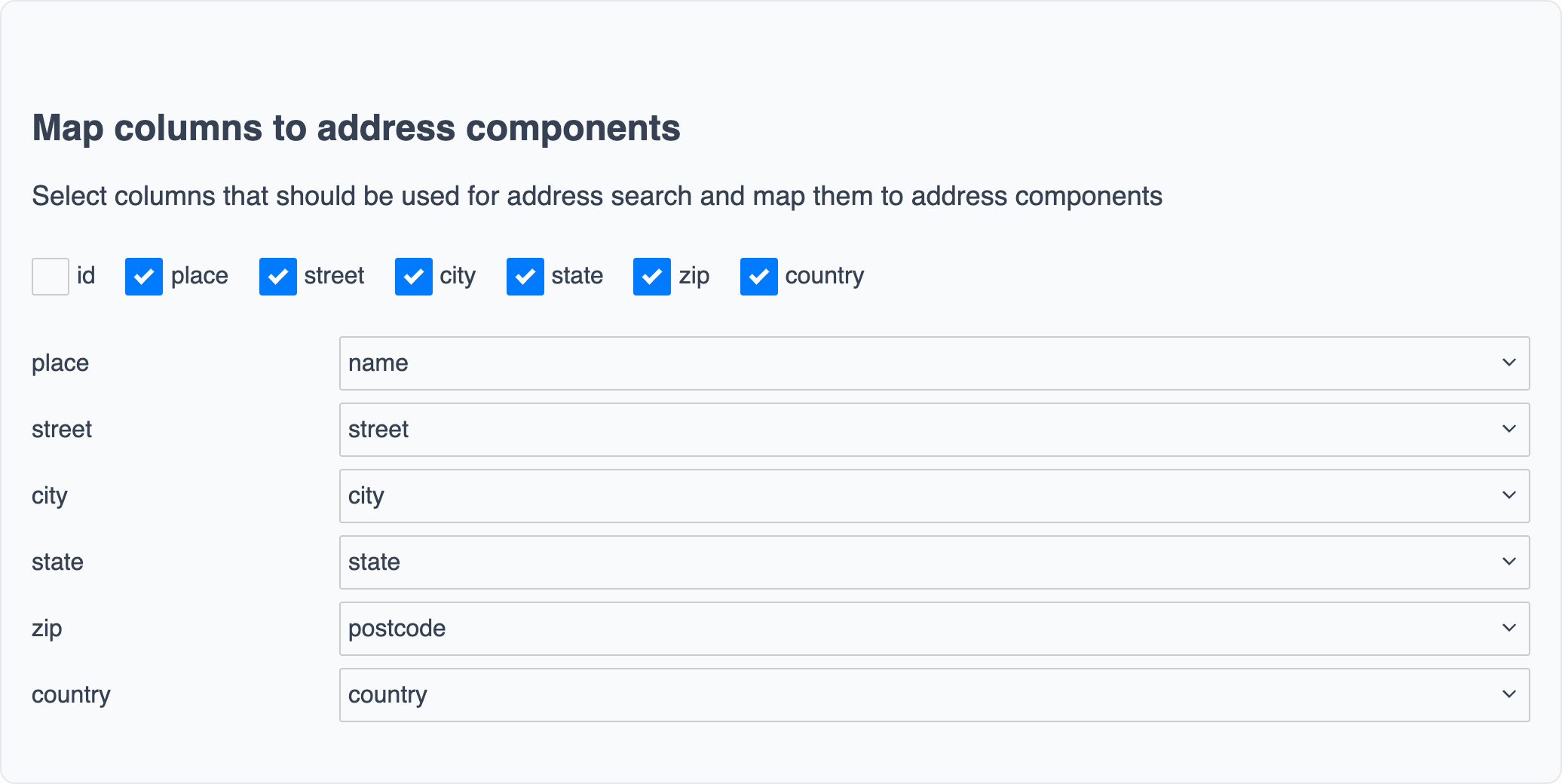
Columns named street, city, state or country are matched by themselves. "zip" and "place" were set by hand.
The tool matches a column by itself when its name contains the part, such as "street" or "city". For other names, pick the part from the list: postcode for a ZIP column, name for a place or business name, address for a column with the full address.
Step 3. Run the Search
Below the columns you can set two options:
- Search only within a country. Choose your country if all addresses are in one country. Leave it empty for a list from many countries.
- Language. The language of the addresses that come back, for example English.
Then click Geocode … rows for free.
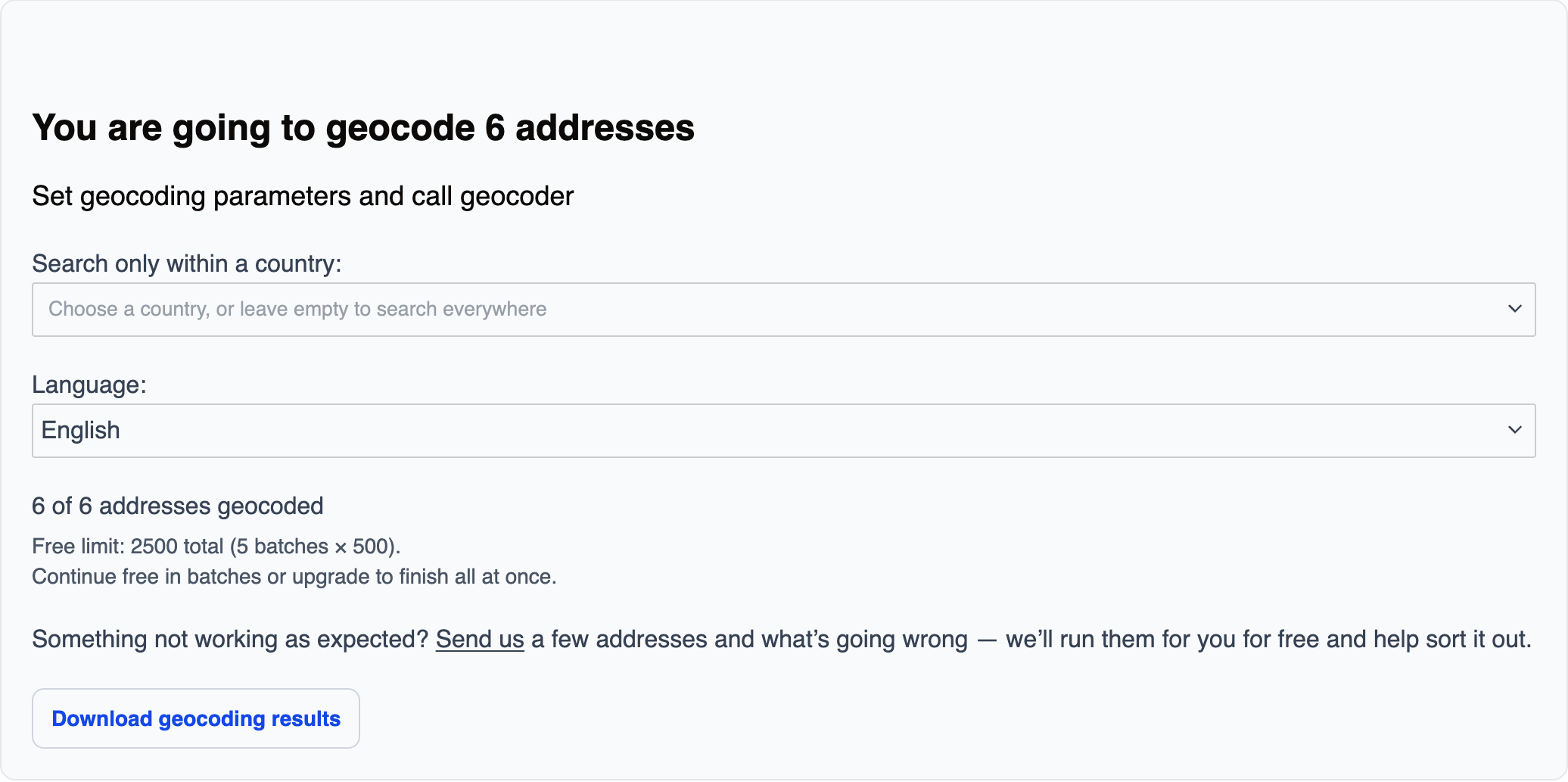
Six addresses take a few seconds. Then the download button appears.
How the free run works with bigger lists:
- The search goes in batches of 500 rows.
- After each batch, wait 30 seconds and click Geocode next … rows for free.
- You can run up to 5 batches, or 2,500 rows, per file.
For more than 2,500 rows, choose the paid job. You pay once: €1 per 1,000 rows, with a €20 minimum and no subscription. Our servers process the whole file in the background, so you can close the page. You get an email with the download link, and you can also follow the job on Job Status. The result stays available for 7 days. See Pricing for details.
Step 4. Read the Result: Which Rows Should You Check?
Click Download geocoding results. You get a CSV file. Your own columns come first, with original_ in front of their names. On the right, the tool adds new columns:
latandlon: the latitude and longitude.formatted: the full, clean address that was found.- The address parts: house number, street, city, county, state, postcode, country.
confidenceand three levels:confidence_city_level,confidence_street_levelandconfidence_building_level. They say how well the city, the street and the house were found, from 0 to 1.- The data source and its license, for example "© OpenStreetMap contributors".
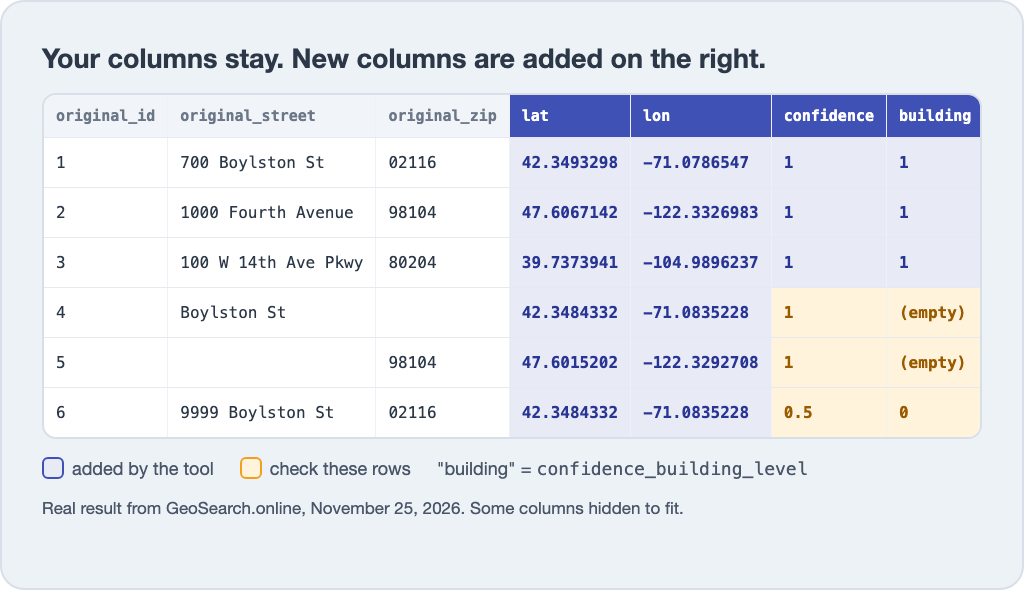
Real result from GeoSearch.online, November 25, 2026. Rows 4, 5 and 6 need a look.
Every row got coordinates, but not every point means the same thing:
| Your row | What came back | What the point is |
|---|---|---|
Boston Public Library, 700 Boylston St, Boston, MA 02116 | confidence 1, building level 1 | The building. |
Seattle Central Library, 1000 Fourth Avenue, Seattle, WA 98104 | "1000 4th Avenue", confidence 1, building level 1 | The building. "Fourth" was understood as "4th". |
Boylston St, Boston, MA | confidence 1, building level empty | A point on the street, not a door. There was no house number. |
Seattle, WA 98104 | confidence 1, street and building level empty | The city. There was no street. |
9999 Boylston St, Boston, MA 02116 | confidence 0.5, building level 0 | A point on the street. This house number was not found. |
Checked on November 25, 2026.
Look at the last row. The formatted column says "9999 Boylston Street, Boston, MA 02116", so it looks fine. But the building level is 0, and the point is the same one as for "Boylston St" without a number. Always read the confidence columns, not only the address text.
A simple rule for your own list:
- Sort the result by
confidence, smallest first. - Check every row below 1, and every row where
confidence_building_levelis empty or 0. - Fix those addresses in your sheet (a missing house number, a typo, a missing ZIP code) and run only those rows again.
Want to look at one address closely, with a map? Paste it in Reverse Address Lookup.
Step 5. Bring the Coordinates Back into Your Sheet
In Excel
Open the CSV with a double-click. Accents and special letters show correctly, because the file is saved as UTF-8 with a marker that Excel understands.
Watch out for ZIP codes that start with 0, such as 02116 in Boston. When Excel opens a CSV, it reads them as numbers and drops the zero: 02116 becomes 2116. The file itself is fine. To keep the zero:
- In a new workbook, choose Data > From Text/CSV and pick the file.
- In the preview, open the editor (Transform Data or Edit).
- Click the ZIP column, then choose Home > Transform > Data Type > Text, and Replace Current.
- Click Close & Load.
These steps come from Microsoft's page Keeping leading zeros and large numbers (checked November 25, 2026).
To put the coordinates next to your original sheet, match the rows by your ID column, for example with XLOOKUP.
In Google Sheets
- Open your spreadsheet and choose File > Import.
- Upload the CSV file.
- Choose Insert new sheets and click Import.
The result opens in a new tab next to your list. Check the ZIP column after the import: if the first zeros are gone, format that column as plain text and import again. Google's help page Import data sets & spreadsheets lists all import options.
Common Problems and Quick Fixes
| Problem | What you see | Fix |
|---|---|---|
| No country | A town with the same name in another state or country | Add a country column, or choose one country in Step 3 |
| No house number | Building level empty, the point is on the street | Add the house number if you have it |
| The ZIP code lost its zero | 2116 instead of 02116 in Excel | Import with Data > From Text/CSV and set the column to Text |
| A business name instead of an address | A weak match, or the wrong place | Put the name in its own column and map it to name, next to the street and city |
| The same address twice | Two identical rows | Fine: each row gets its own coordinates. Remove duplicates first if you pay per row |
| More than 2,500 rows | The free run stops at 2,500 | Choose the paid job for the whole file |
What Next: Put the Points on a Map
The result has lat and lon columns, so map programs can read it directly. You can import the CSV into Google My Maps, QGIS or most other map tools and see every row as a point. To measure distances or draw areas, those programs use the same two columns.